> For the complete documentation index, see [llms.txt](https://annotate-docs.dwaste.live/llms.txt). Markdown versions of documentation pages are available by appending `.md` to page URLs; this page is available as [Markdown](https://annotate-docs.dwaste.live/welcome-to-annotate-lab.md).
# Welcome to Annotate Lab
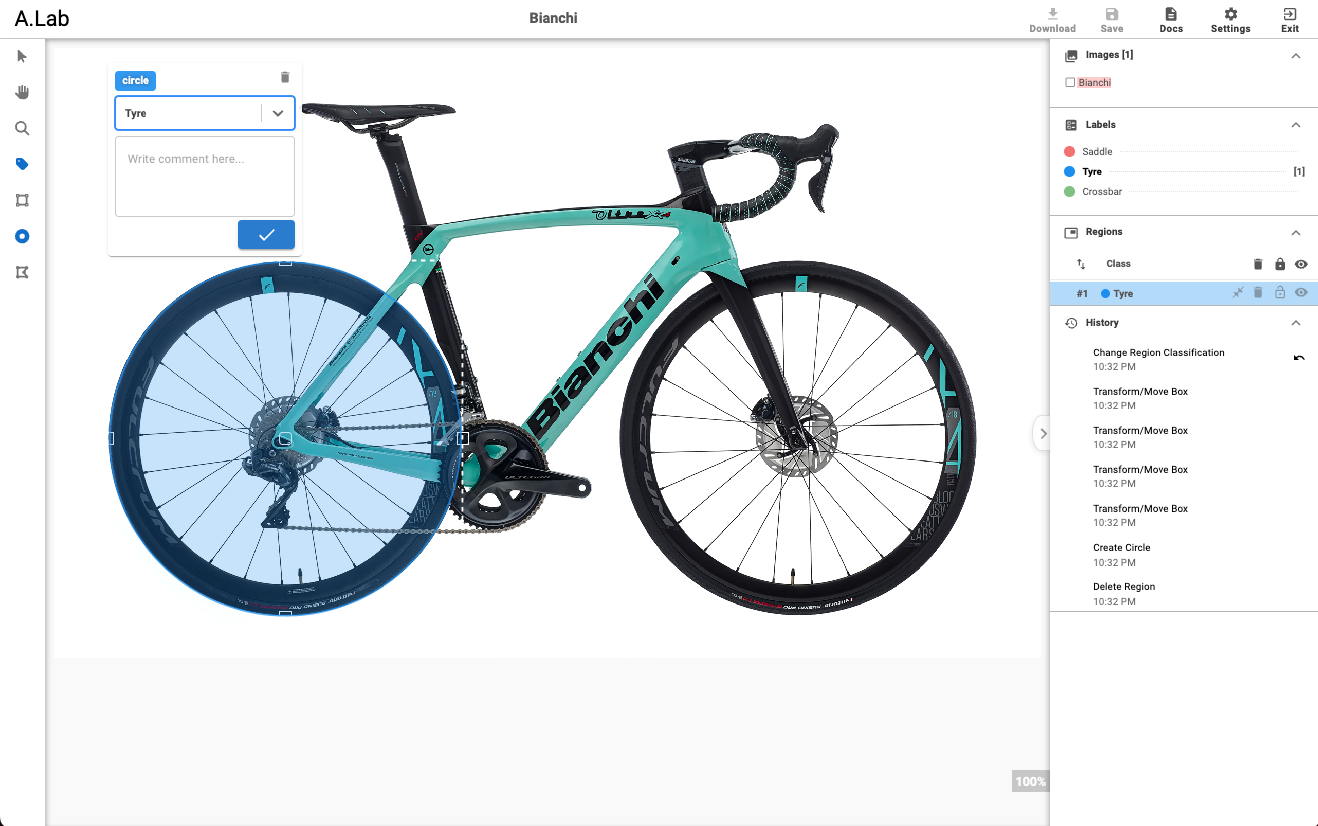
Annotate-Lab is an open-source application designed for image annotation, comprising two main components: the client and the server. The client, a React application, is responsible for the user interface where users perform annotations. On the other hand, the server, a Flask application, manages persisting the annotated changes and generating masked and annotated images, along with configuration settings. The preview of Annotate Lab interface is shown below.
Annotation using A.Lab
Based on the region tools selected in settings, users can annotate images. The labels are configured in settings along with the images. After annotation is performed, users can download the annotated image, annotation settings, and masked images from the download button. The history section on the right sidebar displays the actions performed, which can be reverted. Meanwhile, the regions section shows the annotated regions that can be locked, deleted, or hidden.
The images section displays the number of images, while the classifications section shows the available labels.
Github Link:
{% embed url="" %}
A.Lab Annotation Example
{% endembed %}
## Quick links
{% content-ref url="/pages/zatALf230PMXuM6oY0J9" %}
[Key Features](/overview/key-features.md)
{% endcontent-ref %}
## Get Started
We've put together some helpful guides for you to get setup with our tools quickly and easily.
{% content-ref url="/pages/oUWomRZLlydpfGcf0ulo" %}
[Set up and Run](/fundamentals/set-up-and-run.md)
{% endcontent-ref %}
{% content-ref url="/pages/t1fri5hQA7wTAdSweW78" %}
[Configuration](/fundamentals/set-up-and-run/configuration.md)
{% endcontent-ref %}
{% content-ref url="/pages/EYaQJKsVWepdZ5YHVlJ0" %}
[Annotating Images](/fundamentals/set-up-and-run/annotating-images.md)
{% endcontent-ref %}